How to Get Started in Robotics: What You Need to Know
Learn how to get started in robotics with this comprehensive guide covering skills, education paths, projects, tools, programming languages, and career opportunities.

How to get started in robotics is a question that captivates students, hobbyists, career changers, and technology enthusiasts fascinated by machines that can sense, think, and act autonomously—yet the path into this multidisciplinary field combining mechanical engineering, electrical engineering, computer science, artificial intelligence, and control systems can seem overwhelmingly complex without clear guidance on where to begin, what foundational knowledge is essential, which educational routes provide the best preparation, what hands-on projects build practical skills, and how to navigate from initial curiosity through intermediate competency to professional expertise in an industry experiencing explosive growth as robots transform manufacturing, healthcare, agriculture, logistics, exploration, and countless other domains.
The robotics field offers extraordinary opportunities for those willing to invest time developing technical skills spanning hardware and software, yet the breadth of knowledge required—from kinematics and dynamics to sensor integration, from programming and algorithm design to electronics and mechanical design—creates legitimate questions about optimal learning sequences, necessary prerequisites, realistic time commitments, and whether formal education is essential or self-directed learning combined with project experience can suffice for breaking into robotics careers.
Understanding how to get started in robotics requires recognizing that no single path works for everyone—the ideal approach depends on your current background, available time and resources, specific interests within the broad robotics landscape (autonomous vehicles, industrial automation, medical robotics, humanoid robots, drone technology, soft robotics), career goals (hobbyist, researcher, engineer, entrepreneur), and learning style preferences (formal education, online courses, self-taught project-based learning).
Some aspiring roboticists enter through computer science backgrounds, focusing on AI and machine learning, others through mechanical or electrical engineering paths emphasizing hardware design and control systems, while still others succeed through hands-on maker approaches, building progressively more sophisticated projects without formal engineering degrees but with intensive self-directed study and practical experimentation that demonstrates competence to potential employers or collaborators.
This comprehensive guide provides a structured roadmap for getting started in robotics, covering the foundational knowledge and skills you need across multiple disciplines, educational pathways from self-learning to formal degrees, essential tools and platforms enabling hands-on practice, programming languages and frameworks central to modern robotics, beginner-friendly projects building confidence and competence, learning resources and communities supporting your journey, and practical guidance on turning robotics knowledge into career opportunities in this dynamic and rapidly evolving field where theoretical understanding must combine with hands-on problem-solving skills to design, build, and program robots that function reliably in real-world environments.
Understanding What Robotics Involves
Robotics combines multiple engineering disciplines creating autonomous or semi-autonomous machines that interact with the physical world.
Defining Robotics
Robotics encompasses the design, construction, operation, and application of robots capable of sensing environments, making decisions, and executing physical tasks.
Core components of robots:
Mechanical structure: Physical body including frames, joints, actuators, grippers, wheels, or legs enabling movement and manipulation.


Sensors: Devices detecting environmental information—cameras, lidar, ultrasonic sensors, touch sensors, IMUs (inertial measurement units), force sensors.
Actuators: Motors and mechanisms converting control signals into physical motion—DC motors, servo motors, stepper motors, pneumatic cylinders, hydraulic systems.
Control systems: Hardware and software managing robot behavior based on sensor inputs and programmed logic.
Power systems: Batteries, power management circuits, and energy harvesting providing operational energy.
Computing platforms: Microcontrollers, single-board computers, or specialized processors running control algorithms and decision-making software.
Communication systems: Wireless or wired connections for remote operation, data transmission, or coordination with other robots.
Integration challenge: Effective robotics engineering requires making these components work together reliably, which demands knowledge spanning multiple disciplines rather than deep expertise in just one area.
Key Robotics Disciplines
Getting started in robotics involves understanding how different engineering disciplines contribute to complete robotic systems.
Essential knowledge domains:
Mechanical engineering: Designing physical structures, selecting materials, understanding kinematics (motion geometry) and dynamics (forces and torques), mechanism design, CAD modeling.
Electrical engineering: Circuit design, power systems, motor control, sensor interfacing, PCB design, understanding electrical signals and noise.
Computer science: Programming, algorithms, data structures, operating systems, real-time computing, software architecture.
Control theory: Feedback control systems, PID controllers, state estimation, optimal control, system stability analysis.
Computer vision: Image processing, object detection, tracking, 3D perception, camera calibration, visual odometry.
Artificial intelligence: Machine learning, path planning, decision making, behavior trees, reinforcement learning, neural networks.
Signal processing: Filtering sensor data, extracting useful information from noisy measurements, sensor fusion combining multiple data sources.
Reality for beginners: You don’t need expertise in all these areas to start robotics—begin with fundamentals in 2-3 areas matching your background and interests, gradually expanding knowledge as project requirements demand.
Types of Robots
Robotics applications span diverse domains each with distinct technical requirements and challenges.
Major robot categories:
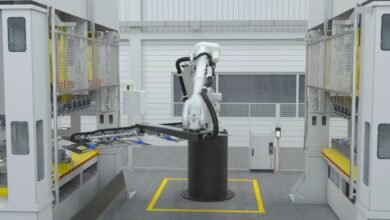
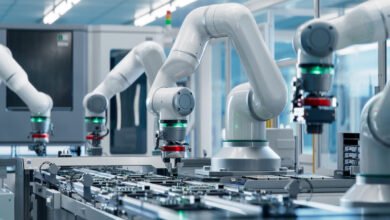
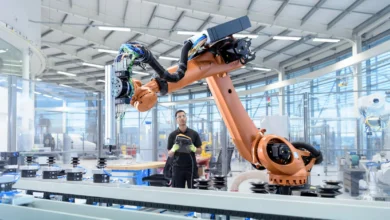
Industrial robots: Manufacturing automation, assembly lines, welding, painting, pick-and-place operations—typically large, precise, powerful manipulators in structured environments.
Mobile robots: Wheeled or tracked robots navigating environments—delivery robots, warehouse automation, inspection robots, agricultural robots.
Autonomous vehicles: Self-driving cars, trucks, drones, underwater vehicles—focusing on navigation, perception, and decision-making in dynamic environments.
Humanoid robots: Human-like robots designed for interaction, research into human motion, or tasks in human-designed environments.
Medical robots: Surgical robots, rehabilitation robots, assistive robots, telepresence robots for healthcare.
Service robots: Cleaning robots, security robots, hospitality robots, educational robots—interacting with public in unstructured environments.
Research robots: Platforms for investigating robotics challenges like soft robotics, swarm robotics, bio-inspired robots, micro-robots.
Hobby and educational robots: Arduino-based robots, LEGO Mindstorms, robot kits designed for learning robotics fundamentals.
Focus benefit: Identifying which robot types interest you most helps target your learning toward relevant skills and knowledge.
Essential Skills and Knowledge for Robotics
Getting started in robotics requires building foundational competencies across technical disciplines.
Programming Skills
Programming forms the foundation of modern robotics development, enabling you to control robot behavior and implement intelligent algorithms.
Critical programming languages:
Python:
- Most popular for robotics beginners
- Extensive libraries (NumPy, OpenCV, TensorFlow, PyTorch)
- Robot Operating System (ROS) supports Python
- Rapid prototyping and testing
- Ideal for AI, computer vision, and high-level control
C/C++:
- Performance-critical robotics applications
- Low-level hardware control
- Real-time systems requiring deterministic behavior
- ROS core implementation in C++
- Embedded systems programming
MATLAB/Simulink:
- Robotics simulation and modeling
- Control system design and testing
- Signal processing and data analysis
- Common in academic robotics research
JavaScript:
- Web-based robot interfaces
- Robot visualization and monitoring
- IoT robotics applications
Programming concepts to master:
- Variables, data types, control structures (loops, conditionals)
- Functions and modular programming
- Object-oriented programming (classes, inheritance)
- File I/O and data handling
- Debugging and testing strategies
- Version control (Git/GitHub)
According to guidance from IEEE Robotics and Automation Society, strong programming skills combined with understanding of algorithms and data structures provide essential foundation for modern robotics careers.
Mathematics Fundamentals
Mathematical knowledge underpins understanding and implementing robotics algorithms.
Essential mathematics:
Linear algebra:
- Vectors and matrices (position, velocity, rotation representations)
- Matrix operations (multiplication, inversion)
- Transformations (translation, rotation, scaling)
- Eigenvalues and eigenvectors
- Critical for: Robot kinematics, computer vision, machine learning
Calculus:
- Derivatives (velocity from position, acceleration from velocity)
- Integration (accumulating sensor measurements)
- Optimization (finding best robot configurations or paths)
- Critical for: Control systems, dynamics, optimization algorithms
Geometry and trigonometry:
- Coordinate systems and transformations
- Angles, sine, cosine, tangent relationships
- 3D geometry and spatial reasoning
- Critical for: Robot positioning, navigation, vision
Probability and statistics:
- Random variables and distributions
- Bayesian inference
- Kalman filtering
- Critical for: Sensor fusion, localization, mapping, uncertainty handling
Discrete mathematics:
- Graph theory
- Logic and Boolean algebra
- Critical for: Path planning, decision trees, logic-based control
Learning approach: Don’t let mathematics intimidate you—focus on understanding concepts and practical applications rather than theoretical rigor initially, deepening knowledge as needed for specific robotics challenges.
Electronics and Hardware Basics
Understanding electronics enables interfacing sensors, actuators, and computing platforms that comprise robot hardware.
Fundamental electronics knowledge:
Basic concepts:
- Voltage, current, resistance (Ohm’s Law)
- Power and energy
- Digital vs. analog signals
- DC vs. AC circuits
Components:
- Resistors, capacitors, inductors
- Diodes and transistors
- Integrated circuits
- Voltage regulators
- Motor drivers
- Microcontrollers and single-board computers
Skills to develop:
- Reading circuit diagrams (schematics)
- Using multimeters for testing
- Breadboard prototyping
- Soldering components
- PCB design basics
- Understanding datasheets
Common platforms:
- Arduino: Beginner-friendly microcontroller platform
- Raspberry Pi: Single-board computer for more complex processing
- ESP32: WiFi/Bluetooth enabled microcontroller
- Teensy: High-performance microcontroller
- NVIDIA Jetson: Embedded AI computing platform
Safety first: Understanding proper electrical safety, working with appropriate voltages for skill level, and using protective equipment prevents injuries and equipment damage.
Mechanical Design Basics
Mechanical skills enable designing and building physical robot structures and mechanisms.
Mechanical fundamentals:
Materials knowledge:
- Metals (aluminum, steel, brass)
- Plastics (ABS, PLA, PETG, acrylic)
- Composites (carbon fiber)
- Material properties (strength, weight, flexibility, cost)
Manufacturing methods:
- 3D printing (FDM, SLA, SLS)
- Laser cutting
- CNC machining
- Hand tools and assembly
- Fasteners (screws, bolts, rivets, adhesives)
Design tools:
- CAD software (Fusion 360, SolidWorks, FreeCAD, Onshape)
- 3D modeling
- Assembly design
- Simulation and stress analysis
Mechanical concepts:
- Gears and gear ratios
- Linkages and mechanisms
- Bearings and bushings
- Wheels and treads
- Grippers and end effectors
Start simple: Begin with modifying existing designs or using kit components before attempting custom mechanical designs requiring advanced CAD and manufacturing skills.
Educational Pathways to Learn Robotics
How to get started in robotics education depends on your current situation, resources, and career goals.
Formal Education Options
Traditional education provides structured learning paths and recognized credentials.
Degree programs:
Undergraduate degrees:
- Robotics Engineering (specialized programs at growing number of universities)
- Mechanical Engineering with robotics concentration
- Electrical/Computer Engineering with robotics focus
- Computer Science with robotics/AI specialization
- Duration: 4 years typically
- Benefits: Comprehensive foundation, lab access, networking, internship opportunities
- Considerations: Time commitment, cost ($40k-$200k+ depending on institution)
Graduate degrees (Master’s/PhD):
- Specialized robotics research programs
- Duration: 2 years (Master’s), 4-6 years (PhD)
- Benefits: Advanced knowledge, research experience, industry connections
- Common path for robotics research careers
Technical programs:
- Associate degrees in mechatronics or robotics (2 years)
- Technical certificates (6 months – 1 year)
- Benefits: Faster entry, lower cost, practical focus
- Common path for robotics technicians
Selection factors: Formal education provides structure, credentials, and resources but requires significant time and financial investment—valuable for aspiring robotics engineers but not the only path.
Online Courses and MOOCs
Online learning offers flexible, affordable robotics education accessible to anyone with internet access.
Recommended online courses:
Coursera:
- “Modern Robotics” (Northwestern University)
- “Robotics Specialization” (University of Pennsylvania)
- “Control of Mobile Robots” (Georgia Tech)
edX:
- “Autonomous Mobile Robots” (ETH Zurich)
- “Robotics MicroMasters Program” (Columbia University)
Udacity:
- “Robotics Software Engineer Nanodegree”
- “Self-Driving Car Engineer Nanodegree”
YouTube channels:
- Robot Operating System (ROS) tutorials
- Arduino and Raspberry Pi robotics projects
- Specific topic deep-dives
Benefits: Self-paced, affordable ($0-$50/month typically), diverse options, learn from top instructors worldwide.
Challenges: Requires self-discipline, limited hands-on access (though many include simulation projects), variable quality, no formal credentials from free courses.
Self-Directed Learning
Independent study through books, documentation, and project-based learning offers complete flexibility.
Learning resources:
Books:
- “Introduction to Autonomous Mobile Robots” (Siegwart, Nourbakhsh, Scaramuzza)
- “Robotics, Vision and Control” (Peter Corke)
- “Modern Robotics: Mechanics, Planning, and Control” (Lynch, Park)
- “Programming Robots with ROS” (Quigley, et al.)
Documentation and tutorials:
- ROS Wiki and tutorials
- Arduino and Raspberry Pi official documentation
- GitHub robotics projects with detailed documentation
- Robotics research papers (arXiv, IEEE Xplore)
Communities and forums:
- ROS Discourse
- Reddit (r/robotics, r/arduino, r/roboticsstartup)
- Stack Overflow for programming questions
- Local robotics clubs and maker spaces
Project-based approach: Learning through building increasingly complex projects often proves more engaging and effective than purely theoretical study.
Essential Tools and Platforms
Getting started in robotics requires familiarizing yourself with key tools and platforms enabling hands-on learning.
Robot Operating System (ROS)
ROS has become the de facto standard software framework for robotics development.
What ROS provides:
Core capabilities:
- Communication infrastructure (publish/subscribe messaging, services, actions)
- Hardware abstraction (standardized interfaces to sensors and actuators)
- Device drivers and libraries
- Visualization tools (RViz for 3D visualization)
- Simulation environments (Gazebo integration)
- Package management
Advantages:
- Industry standard (knowing ROS opens job opportunities)
- Massive ecosystem of packages and tools
- Active community support
- Works with most robotics hardware
- Abstracts complexity of low-level robot control
Learning path:
- Install ROS on Ubuntu (native or virtual machine)
- Complete official ROS tutorials
- Practice creating nodes, topics, and services
- Build simple robot simulation projects
- Graduate to hardware integration
ROS 2: Newer version addressing ROS 1 limitations (real-time, security, embedded systems)—learning ROS 1 first still recommended as most tutorials and resources target it, but ROS 2 adoption growing.
Microcontrollers and Single-Board Computers
Computing platforms form the brains of robots, ranging from simple microcontrollers to powerful embedded computers.
Popular platforms:
Arduino:
- Perfect for robotics beginners
- Easy-to-learn programming environment
- Extensive tutorials and community support
- Great for sensor/actuator interfacing
- Multiple board options (Uno, Mega, Nano)
- Limitations: Limited processing power, no operating system
Raspberry Pi:
- Full Linux computer in small form factor
- Runs ROS natively
- Camera interface, GPIO pins
- Handles computer vision and AI tasks
- SSH remote access
- Multiple versions (Zero, 3, 4) with increasing power
NVIDIA Jetson:
- High-performance embedded AI computing
- GPU acceleration for deep learning
- Excellent for computer vision applications
- Higher cost but necessary for compute-intensive tasks
ESP32:
- WiFi and Bluetooth built-in
- Low cost and power consumption
- MicroPython support
- Great for IoT robotics projects
Selection guidance: Start with Arduino for basic projects, graduate to Raspberry Pi when you need more processing power, consider Jetson for AI-heavy applications.
Simulation Software
Simulators allow testing robot algorithms without physical hardware, accelerating learning and development.
Popular simulation platforms:
Gazebo:
- Open-source 3D robotics simulator
- Tight integration with ROS
- Physics engines simulating realistic dynamics
- Sensor simulation (cameras, lidar, IMU)
- Virtual testing environment for algorithms
Webots:
- Cross-platform robotics simulator
- Includes many pre-built robot models
- ROS integration available
- Free for academic use
CoppeliaSim (formerly V-REP):
- Versatile robot simulator
- Multiple programming interfaces
- Educational licenses available
MATLAB/Simulink:
- Robotics System Toolbox
- Excellent for control system development
- Academic licenses more affordable
Unity/Unreal Engine:
- Game engines increasingly used for robotics simulation
- Photorealistic rendering
- AI training environments
Benefits of simulation: Test dangerous scenarios safely, rapid prototyping without hardware costs, parallel experimentation, debugging in controlled environment.
Development Tools
Software development tools streamline the robotics programming process.
Essential tools:
Code editors/IDEs:
- Visual Studio Code (versatile, ROS extensions available)
- PyCharm (Python development)
- Arduino IDE (Arduino programming)
- Eclipse (C++ development)
Version control:
- Git for source code management
- GitHub for collaboration and portfolio
CAD software:
- Fusion 360 (free for hobbyists/students)
- SolidWorks (industry standard, expensive)
- FreeCAD (open-source alternative)
- Onshape (cloud-based, free for public projects)
Electronics design:
- Fritzing (circuit diagrams for documentation)
- KiCad (PCB design, open-source)
- Eagle (PCB design, limited free version)
Debugging tools:
- Logic analyzers
- Oscilloscopes (USB oscilloscopes affordable for beginners)
- Multimeters
- Serial monitors
Beginner Robotics Projects
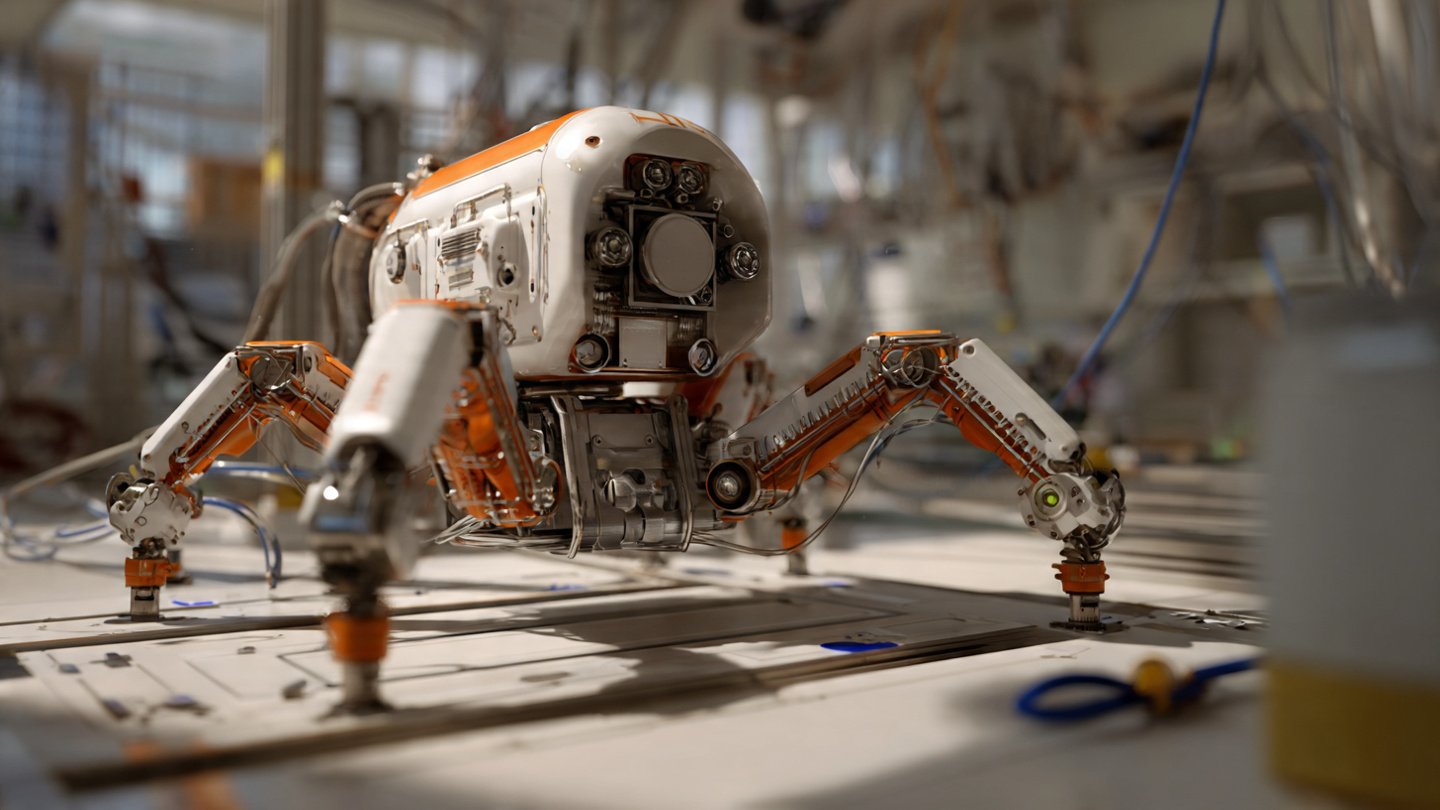
Hands-on projects provide the best way to apply and consolidate robotics knowledge.
Line Following Robot
Line following robots teach fundamental concepts using accessible components.
What you learn:
- Sensor integration (IR or light sensors)
- Feedback control (keeping robot on line)
- Motor control
- Basic programming logic
Components needed:
- Arduino or similar microcontroller
- IR sensors (typically 3-5 sensors)
- DC motors and wheels
- Motor driver (L298N or similar)
- Chassis
- Battery
- Black tape on light surface (or vice versa)
Implementation basics:
- Sensors detect line position
- Controller adjusts left/right motor speeds
- Robot stays centered on line
- Can implement PID control for smooth following
Complexity levels:
- Beginner: Simple on/off control
- Intermediate: Proportional control for smoother operation
- Advanced: Full PID control, maze solving, intersection handling
Obstacle Avoiding Robot
Obstacle avoidance introduces perception and navigation concepts.
Learning objectives:
- Sensor data processing
- Decision-making logic
- Path planning basics
- State machines
Components:
- Microcontroller
- Ultrasonic distance sensors (HC-SR04 common)
- Motors and chassis
- Motor driver
- Battery
Behavior implementation:
- Robot moves forward
- Continuously measures distance ahead
- When obstacle detected, stops
- Turns left or right
- Resumes forward motion
- Repeats
Extensions:
- Multiple sensors for better environmental awareness
- More sophisticated turning strategies
- Mapping explored areas
- Finding optimal paths
Robotic Arm
Robot arms introduce kinematics, trajectory planning, and manipulation.
What you learn:
- Forward and inverse kinematics
- Servo motor control
- Trajectory planning
- End effector design
Getting started:
- Purchase 4-6 DOF (degree of freedom) robot arm kit
- Common options: MeArm, LewanSoul, Lynxmotion
- Arduino-based control
- Servo motor programming
Projects:
- Pick and place objects
- Drawing/writing
- Camera-based object tracking
- Gesture control via computer vision
Progression path: Start with pre-built kits, graduate to designing custom arms, eventually implementing advanced control algorithms.
Autonomous Rover
Autonomous mobile robots integrate multiple subsystems and capabilities.
Capabilities to implement:
- GPS navigation
- Obstacle detection and avoidance
- Path planning
- Localization (knowing where robot is)
- Remote monitoring/control
Recommended approach:
- Start with basic remote-controlled rover
- Add autonomous navigation between waypoints
- Implement obstacle avoidance
- Add sensors (camera, IMU, compass)
- Integrate higher-level planning
Platforms: Consider starting with robot kits designed for autonomous navigation (TurtleBot, Jetbot) or building custom platform based on project requirements and budget.
Building Your Robotics Career
Turning robotics knowledge into a career requires strategic skill development, portfolio building, and networking.
Career Paths in Robotics
Robotics careers span diverse roles and industries.
Common positions:
Robotics Engineer:
- Designing and developing robotic systems
- Integrating mechanical, electrical, and software components
- Testing and validating designs
- Typical salary: $70k-$120k (varies by experience and location)
Software Engineer (Robotics):
- Developing robot control software
- Implementing algorithms (perception, planning, control)
- ROS development and integration
- Typical salary: $80k-$140k
Robotics Research Scientist:
- Investigating new robotics technologies
- Publishing research papers
- Typically requires PhD
- University or industrial research labs
- Typical salary: $90k-$150k+
Robotics Technician:
- Installing and maintaining industrial robots
- Troubleshooting and repairs
- Programming robots for specific tasks
- Technical degree often sufficient
- Typical salary: $45k-$75k
Field Applications Engineer:
- Customer-facing technical role
- Implementing robotic solutions at customer sites
- Training customers
- Typical salary: $70k-$110k
Robotics Startup Founder/Entrepreneur:
- Creating new robotic products or services
- Highly variable outcomes (high risk, high potential reward)
Industries hiring: Manufacturing, logistics/warehousing, healthcare, agriculture, defense, aerospace, consumer products, automotive, research institutions.
According to data from Bureau of Labor Statistics, robotics-related occupations are projected to grow significantly faster than average as automation adoption accelerates across industries.
Building a Robotics Portfolio
Demonstrating practical capabilities through project portfolio often matters more than credentials alone.
Portfolio elements:
GitHub repositories:
- Well-documented code
- README files explaining projects
- Comments and clean code
- Demonstrates programming skills
Video demonstrations:
- YouTube videos showing robots functioning
- Explaining design decisions
- Troubleshooting and problem-solving
- Shows communication skills
Technical blog/website:
- Project write-ups
- Tutorials helping others
- Technical problem-solving articles
- Demonstrates knowledge depth
Competition participation:
- Robotics competitions (FIRST Robotics, RoboCup, etc.)
- Hackathons
- Shows teamwork and performance under pressure
Open-source contributions:
- Contributing to ROS packages
- Fixing bugs in robotics libraries
- Documentation improvements
- Demonstrates collaboration skills
Quality over quantity: A few well-executed, thoroughly documented projects prove more impressive than many superficial ones.
Networking and Community Engagement
Robotics communities provide learning opportunities, collaboration, and career connections.
Community participation:
Online communities:
- ROS Discourse
- Reddit robotics communities
- LinkedIn groups
- Discord servers
In-person opportunities:
- Local robotics clubs
- Maker spaces with robotics equipment
- University robotics labs (even for non-students, some allow visitors)
- Robotics meetups
Conferences and events:
- IEEE International Conference on Robotics and Automation (ICRA)
- Robotics: Science and Systems (RSS)
- International Conference on Intelligent Robots and Systems (IROS)
- Local robotics expos and demonstrations
Mentorship:
- Finding experienced roboticists willing to guide you
- Offering to help with projects in exchange for learning
- Reverse mentoring (teaching helps reinforce your own understanding)
Value: Networking often leads to job opportunities, collaborations, and staying current with field developments.
Conclusion
How to get started in robotics ultimately requires commitment to multidisciplinary learning spanning programming (particularly Python and C++ for implementing control algorithms and AI), mathematics (linear algebra and calculus for understanding kinematics and dynamics), electronics (to interface sensors, actuators, and computing platforms), and mechanical design (CAD modeling and understanding of mechanisms and materials), though you don’t need mastery of all these areas simultaneously—the most effective approach involves starting with 1-2 areas matching your background while building increasingly complex hands-on projects like line-following robots, obstacle-avoiding rovers, or robotic arms that force you to expand knowledge into adjacent domains as project requirements demand.
Getting started in robotics education can follow multiple valid pathways including traditional university degrees in robotics engineering or related fields providing comprehensive foundations and industry credentials, online courses and MOOCs offering flexible affordable learning from top institutions, or self-directed study through books, documentation, and project-based learning that works well for motivated individuals willing to figure things out through experimentation and community support—with the optimal path depending on your current situation, resources, career goals, and learning style preferences. The most critical factor for robotics beginners is starting with accessible projects that build confidence and practical skills rather than getting paralyzed by the breadth of knowledge involved, utilizing powerful tools like Arduino for hardware prototyping, Raspberry Pi for computational tasks.
Robot Operating System (ROS) as industry-standard software framework, and simulation environments like Gazebo for testing algorithms before hardware implementation, while systematically building a portfolio of documented projects demonstrating tangible capabilities to potential employers or collaborators. Success in learning robotics comes from embracing the iterative process of designing, building, testing, debugging, and improving robot projects where failures teach as much as successes, engaging with supportive robotics communities providing knowledge sharing and networking opportunities.
Staying current with rapidly evolving technologies particularly in AI and computer vision transforming robot capabilities, and maintaining persistence through inevitable frustrations knowing that the combination of theoretical understanding and hands-on problem-solving skills you develop opens doors to exciting career opportunities in industries from manufacturing and healthcare to agriculture and space exploration where intelligent machines increasingly complement and augment human capabilities in an automation-driven economy creating strong demand for skilled robotics professionals who can bridge hardware and software to build reliable autonomous systems solving real-world problems.