Robot Vacuum Cleaners Compared: Which One Works Best?
Robot vacuum cleaners compared: Discover the best robotic vacuums, features comparison, performance reviews, and expert recommendations for choosing your ideal model.

Robot vacuum cleaners compared side-by-side reveal dramatic differences in performance, features, and value that directly impact whether these autonomous devices genuinely simplify your life or become expensive dust-collecting decorations. The robot vacuum market has exploded over the past decade, evolving from novelty gadgets that randomly bumped around rooms to sophisticated machines using laser mapping, AI-powered obstacle avoidance, and self-emptying capabilities that rival traditional vacuums in cleaning effectiveness.
With dozens of brands and hundreds of models ranging from $150 budget options to $1,500+ premium systems, choosing the right robot vacuum requires understanding which features actually matter for your specific home, flooring types, and cleaning needs versus which represent marketing hype that doesn’t translate to better performance. A top-rated model perfect for hardwood floors in a pet-free apartment might struggle terribly in a carpeted home with shedding dogs, while a budget-friendly option could outperform expensive competitors for simple maintenance cleaning.
The challenge isn’t just comparing specifications—it’s understanding how those specs translate to real-world cleaning performance in your home. Suction power numbers mean little if the robot can’t navigate your furniture layout. Advanced mapping impresses on paper but matters less in studio apartments than sprawling multi-level homes. Self-emptying bases add convenience but dramatically increase costs.
This comprehensive comparison examines the best robot vacuums across different categories, evaluates the features that genuinely impact cleaning effectiveness, and helps you determine which model works best for your unique situation, budget, and expectations. Whether you’re a first-time buyer skeptical about robot vacuum capabilities or an existing owner considering an upgrade, this guide provides the detailed analysis you need to make an informed decision and find the robot vacuum cleaner that truly works best for your home.
Understanding Robot Vacuum Technology
Robot vacuum cleaners have evolved significantly since the original Roomba launched in 2002, incorporating advanced technologies that dramatically improve cleaning performance and user experience.
Navigation Systems: Random vs. Smart Mapping
Navigation technology fundamentally determines how effectively a robot vacuum cleans your home.
Random navigation (bump-and-go): Budget models use infrared sensors to detect obstacles, changing direction when they bump into furniture or walls. This approach eventually covers most areas but requires significantly more time, misses spots, and provides no efficiency or coverage tracking.
Gyroscope navigation: Mid-range models use gyroscopes and sensors to track movement patterns, creating somewhat logical cleaning paths. They’re more efficient than random navigation but still lack comprehensive room understanding.
Laser mapping (LiDAR): Premium models employ spinning laser sensors that scan surroundings, creating detailed room maps. This smart navigation enables efficient cleaning patterns, room-specific scheduling, and no-go zones. LiDAR systems consistently provide the most thorough, fastest cleaning.

Camera-based navigation: Some robots use cameras and visual SLAM (Simultaneous Localization and Mapping) for navigation and obstacle recognition. While effective, these systems struggle in dark rooms and raise privacy concerns for some users.
Mapping capabilities separate adequate robots from exceptional ones. Smart mapping means faster cleaning, better coverage, and advanced features like selective room cleaning and virtual boundaries.
Suction Power and Cleaning Performance
Suction power, measured in Pascals (Pa), directly impacts debris removal effectiveness.
Entry-level robots: 600-1,000 Pa handles light dust and debris on hard floors but struggles with carpets or embedded dirt.
Mid-range robots: 1,500-2,500 Pa provides adequate performance for most homes with mixed flooring and moderate debris.
Premium robots: 3,000-6,000+ Pa delivers powerful suction rivaling traditional vacuums, excelling on carpets and with pet hair.
However, suction numbers don’t tell the complete story. Brush design, airflow optimization, and cleaning algorithms significantly affect actual performance. Some robots with moderate suction clean more effectively than higher-powered competitors due to superior engineering.
Brush systems typically include:
- Main brush roller (rubber or bristle)
- Side brushes for edges and corners
- Anti-tangle designs for hair management
The best systems combine sufficient suction with well-designed brushes that channel debris effectively into the dustbin.
Battery Life and Charging
Battery capacity determines how much area robots clean before requiring recharging.
Most modern robot vacuums run 90-120 minutes per charge, covering 1,000-1,500 square feet. Premium models may last 180+ minutes, handling larger homes in single sessions.
Recharge and resume functionality allows robots to automatically return to charging docks mid-cleaning, recharge, and continue where they left off. This feature is essential for homes exceeding the robot’s single-charge capacity.
Charging time typically ranges from 3-6 hours for full charges. Some premium models feature faster charging systems.
Smart Home Integration
Connected robot vacuums integrate with smart home ecosystems for enhanced control and automation.
Wi-Fi connectivity enables:
- Smartphone app control and scheduling
- Remote starting and monitoring
- Cleaning history and statistics
- Software updates for improved performance
Voice assistant compatibility with Alexa, Google Assistant, or Siri allows voice commands for starting, stopping, or directing robots to specific rooms.
IFTTT support enables automation like starting cleaning when you leave home or pausing when video calls begin.
According to Consumer Reports testing data, smart features significantly enhance user satisfaction by making robot vacuums more convenient and less intrusive to daily life.
Top Robot Vacuum Cleaners Compared
Let’s examine leading robot vacuum models across different price ranges and feature sets.
Premium Tier: Best Overall Performance
Roborock S8 Pro Ultra
The Roborock S8 Pro Ultra represents cutting-edge robot vacuum technology with comprehensive features justifying its premium price.
Key features:
- 6,000 Pa suction power (exceptional carpet cleaning)
- Advanced LiDAR navigation with detailed mapping
- Self-emptying, self-washing, and self-refilling dock
- VibraRise mopping with automatic mop lifting on carpets
- Reactive 3D obstacle avoidance
- 180-minute battery life
Performance: Outstanding on all floor types, especially carpets. The dual rubber brushes resist hair tangles effectively. Obstacle avoidance reliably identifies and avoids small objects like cables, socks, and pet waste.
Best for: Homes with mixed flooring, pets, and users wanting maximum automation with minimal intervention.
Considerations: High price point ($1,600), large dock footprint, and mopping effectiveness that, while good, doesn’t replace manual mopping for deep cleaning.
iRobot Roomba j7+
The Roomba j7+ prioritizes obstacle avoidance and pet-owner features through advanced AI and camera technology.
Key features:
- PrecisionVision Navigation with AI object recognition
- Pet Owner Official Promise (replacement if it fails to avoid pet waste)
- Self-emptying Clean Base
- Imprint Smart Mapping for selective room cleaning
- 2,100 Pa suction
Performance: Excellent navigation and obstacle avoidance, particularly with pet waste—a critical advantage for pet owners. Adequate suction for most cleaning needs, though not the most powerful available.
Best for: Pet owners prioritizing reliability around pet accidents, homes with lots of floor clutter, and users valuing brand reputation.
Considerations: Lower suction than competitors, no mopping function, and premium pricing ($800-1,000) for mid-range cleaning power.
Ecovacs Deebot X2 Omni
The Deebot X2 Omni offers a unique square design and comprehensive features at a competitive premium price point.
Key features:
- Square design for better corner cleaning
- 8,000 Pa suction (industry-leading)
- AIVI 3D 2.0 obstacle avoidance
- Self-emptying, self-cleaning station
- Hot water mop washing
- 210-minute battery life
Performance: The square design genuinely improves corner and edge cleaning. Exceptional suction handles deep carpet cleaning and heavy pet hair. Mopping performance exceeds most competitors.
Best for: Homes with significant corner accumulation, heavy-duty cleaning needs, and users wanting comprehensive mopping and vacuuming.
Considerations: Square design may struggle navigating some furniture configurations, slightly louder operation, and learning curve with feature-rich app.
Mid-Range: Best Value Options
Roborock Q5+
The Roborock Q5+ delivers premium navigation and features at a mid-range price, offering exceptional value.
Key features:
- 2,700 Pa suction
- PreciSense LiDAR navigation
- Self-emptying dock included
- Multi-level mapping
- 180-minute battery life
Performance: Navigation and mapping rival premium models, providing efficient, thorough cleaning. Suction adequately handles most debris types and pet hair. The included self-emptying dock adds significant convenience without premium pricing.
Best for: Budget-conscious buyers wanting smart navigation and self-emptying without luxury features, multi-level homes.
Considerations: No mopping function, plastic brush roller tangles more easily than rubber alternatives, and basic obstacle avoidance.
Shark AI Ultra
The Shark AI Ultra combines reliable performance with user-friendly features and competitive pricing.
Key features:
- 2,000 Pa suction
- Matrix Clean (multiple passes over stubborn debris)
- Self-emptying base with 60-day capacity
- Home mapping with room selection
- Self-cleaning brushroll
Performance: The self-cleaning brushroll effectively resists hair tangles—a standout feature for pet owners and long-haired household members. Matrix Clean ensures thorough coverage of targeted areas.
Best for: Pet owners on a budget, homes with significant hair concerns, and users wanting reliable performance without complexity.
Considerations: Navigation less sophisticated than LiDAR systems, longer cleaning times, and occasional difficulty with dark carpets.
Eufy X8 Pro
The Eufy X8 Pro focuses on powerful suction and twin-turbine design at an accessible price.
Key features:
- 2×4,000 Pa suction (twin turbines)
- iPath laser navigation
- Active detangling roller brush
- 180-minute battery life
- No subscription fees for features
Performance: Twin-turbine design provides powerful suction comparable to models costing significantly more. Excellent on carpets and with pet hair. Navigation is reliable and efficient.
Best for: Budget-conscious buyers prioritizing suction power, carpeted homes, and users appreciating no ongoing subscription costs.
Considerations: No self-emptying option, louder operation than competitors, and less advanced obstacle avoidance.
Budget-Friendly: Best Affordable Options
Eufy 11S Max
The Eufy 11S Max proves effective cleaning doesn’t require premium prices or smart features.
Key features:
- 2,000 Pa suction
- Slim 2.85-inch profile (fits under more furniture)
- BoostIQ auto-adjusts suction on carpets
- 100-minute battery life
- No Wi-Fi or app
Performance: Simple but effective cleaning using random navigation. Suction handles everyday debris well. The ultra-slim profile accesses spaces other robots miss.
Best for: Small apartments, supplemental cleaning in specific rooms, users wanting simplicity, and extremely tight budgets.
Considerations: Random navigation means longer cleaning times and occasional missed spots, no smart features or scheduling, and manual emptying required.
iLife V3s Pro
The iLife V3s Pro specializes in hard floors and pet hair at bargain pricing.
Key features:
- Optimized for hard floors
- Tangle-free pet hair suction
- Automatic docking and charging
- Programmable schedule
- 2-hour runtime
Performance: Excellent on hardwood, tile, and laminate floors. Specifically designed for pet hair with direct suction (no brush roller to tangle). Quiet operation.
Best for: Hard-floor homes with pets, senior users wanting simplicity, and budget-conscious first-time robot vacuum buyers.
Considerations: Poor carpet performance (not designed for carpets), random navigation, and very basic features.
Key Features to Consider When Comparing Robot Vacuums
Understanding which features genuinely matter helps you compare robot vacuum cleaners effectively.
Flooring Type Compatibility
Your flooring types dramatically affect which robot vacuum works best.
Hardwood and tile: Nearly all robots perform well on hard floors. Even budget models provide satisfactory results. Prioritize models with good edge cleaning and obstacle avoidance to prevent furniture damage.
Low-pile carpet: Most robots with 1,500+ Pa suction handle low-pile carpets adequately. Look for automatic power adjustment features that increase suction on carpets.
High-pile or plush carpet: Only robots with 3,000+ Pa suction and specialized brush designs effectively clean thick carpets. Many budget and mid-range models struggle significantly with plush carpeting.
Mixed flooring: Homes with varied flooring benefit from smart navigation that remembers surfaces and adjusts cleaning approach accordingly. Automatic carpet detection with power boost ensures consistent performance across different floor types.
Pet Hair Management
Pet owners require specific features for managing fur and potential accidents.
Tangle-resistant brushes: Rubber brush rollers or self-cleaning mechanisms prevent hair wrapping that reduces performance and requires constant maintenance.
High suction: Minimum 2,000 Pa recommended for embedded pet hair, especially on carpets.
HEPA filtration: Captures allergens and dander, improving air quality.
Obstacle avoidance: Advanced object recognition prevents catastrophic encounters with pet accidents, protecting your robot and preventing mess spreading.
Large dustbins: Pet hair fills dustbins quickly. Larger capacity (600ml+) or self-emptying bases reduce maintenance frequency.
Home Size and Layout
Your home’s size and complexity determines necessary features.
Small apartments (under 800 sq ft): Basic navigation suffices. Battery life and advanced features matter less. Focus on suction power and slim profiles for furniture access.
Medium homes (800-1,500 sq ft): Smart navigation and mapping significantly improve efficiency. Recharge-and-resume becomes important for thorough single-session cleaning.
Large homes (1,500+ sq ft): Multi-level mapping, extended battery life (150+ minutes), and recharge-and-resume are essential. Self-emptying bases dramatically reduce maintenance.
Complex layouts: Homes with numerous rooms, obstacles, or floor transitions benefit from LiDAR navigation and advanced obstacle avoidance.
Multi-level homes: Multi-floor mapping allows using a single robot across floors, saving money versus buying multiple units.
Maintenance Requirements
Ongoing maintenance varies significantly between models and affects long-term satisfaction.
Dustbin emptying: Manual emptying ranges from daily to weekly depending on home size and debris level. Self-emptying bases extend this to monthly or bi-monthly.
Filter replacement: Most require filter replacement every 2-3 months ($10-30 per replacement). HEPA filters cost more but provide better filtration.
Brush cleaning: Hair and debris require regular removal from brushes. Self-cleaning designs minimize this chore.
Sensor cleaning: Sensors and charging contacts need periodic cleaning for reliable operation.
Software updates: Wi-Fi-connected models receive firmware updates improving performance and adding features.
According to testing by Consumer Reports, maintenance requirements significantly impact long-term user satisfaction, with self-emptying models showing substantially higher satisfaction ratings despite higher initial costs.
Noise Levels
Operating noise affects when and how comfortably you can run your robot vacuum.
Most robots operate at 60-70 decibels (similar to normal conversation). Quieter models hit 55-60 dB, while powerful models may reach 70-75 dB.
Noise considerations:
- Can you run it during work-from-home calls?
- Will it disturb sleeping children or pets?
- Does nighttime cleaning work for your schedule?
Self-emptying bases produce louder noise (75-85 dB) during the emptying cycle, though this lasts only 10-20 seconds.
Smart Features and App Functionality
Connected features add convenience and control but aren’t essential for cleaning performance.
Useful smart features:
- Room-specific cleaning schedules
- No-go zones and virtual walls
- Cleaning history and statistics
- Manual spot cleaning or directional control
- Multi-floor map storage
Less essential features:
- Video streaming (raises privacy concerns)
- Voice feedback
- Elaborate customization options
Evaluate whether smart features match your lifestyle or represent complexity you won’t use.
Mopping Capabilities in Robot Vacuums
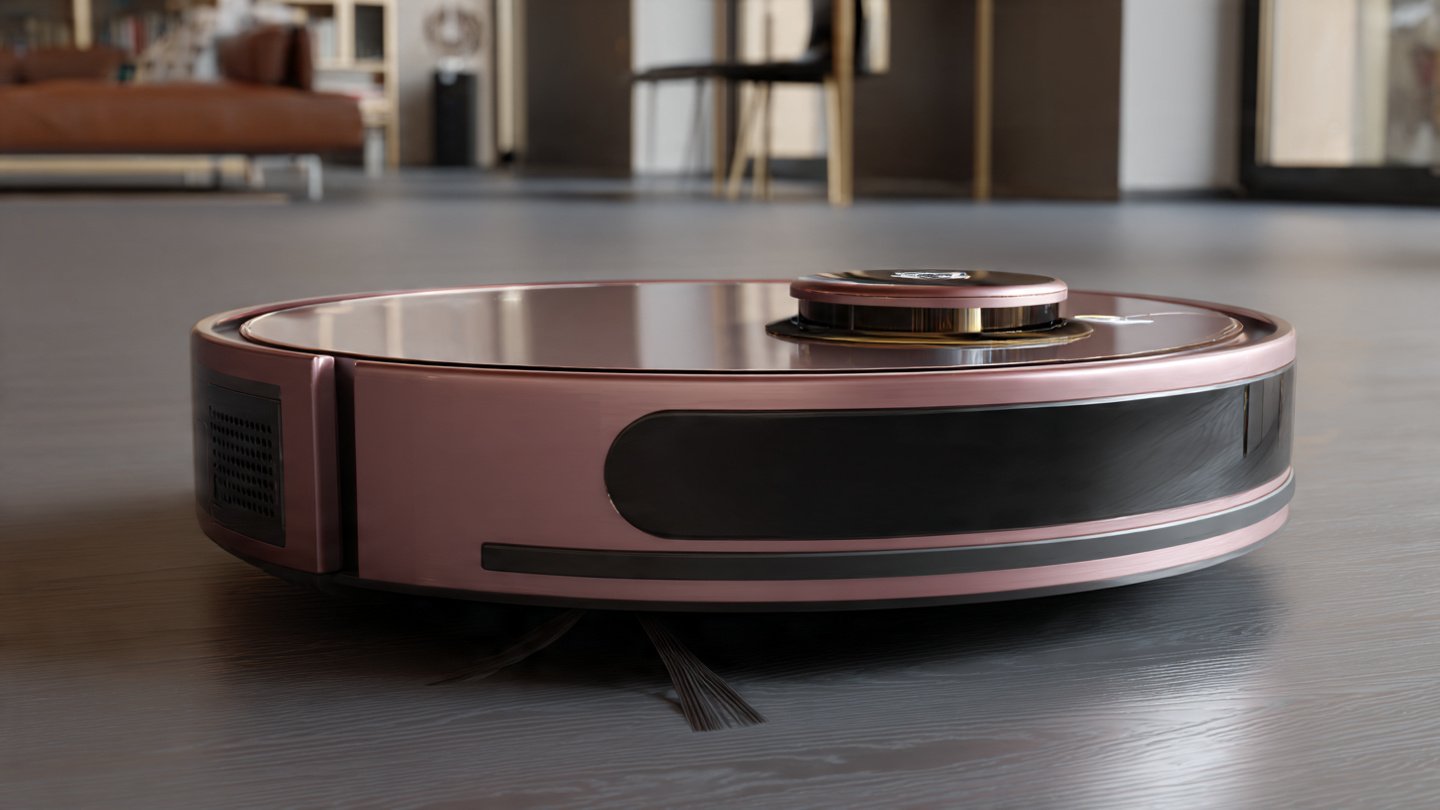
Many modern robot vacuums include mopping functions, but effectiveness varies dramatically.
Basic Mopping Systems
Entry-level mopping uses gravity-fed water tanks and dragging microfiber cloths across floors.
These systems:
- Apply uniform water regardless of floor dirtiness
- Can’t apply pressure for stuck-on grime
- Require frequent pad washing
- Work adequately for light maintenance mopping
Best for maintaining already-clean floors between manual mopping sessions, not replacing traditional mopping.
Advanced Mopping Systems
Premium mopping incorporates vibrating or rotating pads, adjustable water flow, and automatic mop lifting.
Advanced features include:
- Vibrating mops: Scrub action helps loosen stuck debris
- Rotating mops: Dual spinning pads replicate manual mopping motion
- Automatic mop lifting: Raises mops on carpets to prevent wetting
- Hot water washing: Self-cleaning stations use heated water for mop sanitation
Premium mopping systems approach traditional mopping effectiveness for routine cleaning, though they still can’t replace occasional deep mopping.
Combination vs. Dedicated Units
Combination units vacuum and mop in a single pass, offering convenience at the cost of specialization.
Pros: Single device handles both tasks, saves storage space, and reduces overall cost.
Cons: Compromised performance on both functions compared to dedicated units, limited water tank capacity, and complexity.
Dedicated units excel at their specific function but require owning and maintaining separate devices.
For most users, combination units provide adequate performance if you prioritize convenience and accept slightly compromised effectiveness on both functions.
Real-World Performance Testing Considerations
Understanding how robot vacuum performance translates from specifications to real homes helps set realistic expectations.
Edge and Corner Cleaning
Edge cleaning effectiveness separates good robots from mediocre ones.
Round robots inherently struggle with corners. Look for:
- Aggressive side brush design
- Square or D-shaped bodies (better corner access)
- Dedicated edge cleaning modes
Even the best robots miss some corner debris. Expect to occasionally manually clean corners or run edge-specific cleaning cycles.
Carpet Cleaning Depth
Carpet cleaning ability varies enormously between models.
Test carpets by sprinkling flour, cereal, or pet food and evaluating pickup effectiveness. Budget models often scatter debris or leave significant amounts behind, while premium models achieve near-complete removal.
Carpet boost modes automatically increase suction on carpets but drain batteries faster.
Obstacle Navigation
Obstacle avoidance determines how much pre-cleaning preparation is necessary.
Basic models require significant room preparation—removing cables, shoes, and small objects before each cleaning session.
Advanced models with AI obstacle recognition reliably avoid common objects like cables, socks, and pet waste, requiring minimal preparation.
Reality check: No robot vacuum navigates perfectly. Occasional stuck situations happen with any model, though frequency decreases with premium navigation systems.
Threshold and Transition Handling
Threshold climbing ability affects which areas robots can access.
Most robots handle thresholds up to 0.6-0.8 inches (15-20mm). Higher thresholds require transition ramps or prevent access entirely.
Carpet-to-hardwood transitions rarely cause problems, but thick rug edges may trap or confuse robots.
Multi-Room Efficiency
Multi-room cleaning showcases navigation system quality.
Random navigation robots may clean the same area multiple times while missing others entirely. Smart mapping robots systematically clean each room once, completing jobs 30-50% faster.
For multi-room homes, premium navigation justifies its cost through dramatically improved efficiency.
Making the Right Choice for Your Home
Choosing the best robot vacuum requires matching capabilities to your specific needs and priorities.
Decision Framework
Start by identifying your must-have features:
- What’s your budget? Set realistic expectations for features available at your price point.
- What are your primary floors? This determines required suction power and brush design.
- Do you have pets? Pet hair management features become essential.
- How large is your space? Home size dictates navigation, battery, and self-emptying needs.
- How much maintenance will you tolerate? Honest assessment guides self-emptying and other convenience features.
- Do smart features matter? Determine if app control and integration justify additional costs.
Recommended Models by Use Case
Best for pet owners: iRobot Roomba j7+ or Shark AI Ultra for hair management and obstacle avoidance.
Best for large homes: Roborock S8 Pro Ultra or Ecovacs Deebot X2 Omni for comprehensive features and extended battery life.
Best value: Roborock Q5+ balances performance and features at mid-range pricing.
Best for carpets: Ecovacs Deebot X2 Omni with 8,000 Pa suction or Roborock S8 Pro Ultra with 6,000 Pa.
Best budget option: Eufy 11S Max for basic but effective cleaning at minimal cost.
Best for hardwood floors: iLife V3s Pro optimizes hard floor performance at budget pricing.
Best mopping: Roborock S8 Pro Ultra with advanced VibraRise technology and self-washing.
Common Misconceptions
“Robot vacuums replace traditional vacuums entirely”: For most homes, robots supplement but don’t completely replace traditional vacuums. Deep cleaning, stairs, and upholstery still require manual vacuuming.
“More expensive always means better”: Beyond a certain point, you’re paying for convenience features rather than dramatically better cleaning. A $600 model often cleans similarly to a $1,200 model, with the price difference buying self-emptying, advanced mapping, or mopping.
“Robot vacuums require no maintenance”: All models require regular dustbin emptying, filter replacement, and brush cleaning. Self-emptying bases reduce frequency but don’t eliminate maintenance.
“They work perfectly out of the box”: Optimal performance usually requires initial mapping runs, no-go zone setup, and room-specific scheduling configuration.
Maintenance and Troubleshooting Tips
Proper robot vacuum maintenance extends lifespan and maintains performance.
Regular Maintenance Schedule
After each use:
- Empty dustbin (unless self-emptying)
- Check brushes for wrapped hair or debris
Weekly:
- Clean sensors and charging contacts with microfiber cloth
- Wipe down exterior
- Check wheels for obstruction
Monthly:
- Replace or clean filters per manufacturer instructions
- Thoroughly clean brush rollers
- Inspect side brushes for wear
- Empty self-emptying base if applicable
Every 2-3 months:
- Replace filters
- Replace side brushes if worn
- Deep clean all components
Common Issues and Solutions
Robot gets stuck frequently: Create virtual barriers around problematic areas, add transition ramps for thresholds, or rearrange furniture to improve navigation.
Cleaning effectiveness declines: Check for worn brushes, clogged filters, or full dustbins. Clean sensors if navigation seems confused.
Battery life decreases: Normal after 1-2 years of use. Many models have user-replaceable batteries extending lifespan.
Navigation errors: Remap your home if furniture layout has changed significantly. Clean navigation sensors (LiDAR spinners, cameras, or cliff sensors).
Won’t charge: Clean charging contacts on both robot and dock. Ensure dock is on hard, level surface with clear approach path.
Future of Robot Vacuum Technology
Robot vacuum innovation continues rapidly, with emerging technologies promising even better performance.
Emerging Technologies
AI-powered cleaning: Machine learning algorithms increasingly optimize cleaning patterns based on your home’s specific dirt patterns and high-traffic areas.
Improved obstacle avoidance: Next-generation 3D sensors and AI recognition will reliably identify and avoid increasingly complex obstacles.
Enhanced mopping: Future models will incorporate true scrubbing mechanisms, automatic detergent dispensing, and sanitization capabilities approaching traditional mopping effectiveness.
Longer battery life: Advancing battery technology will enable 4+ hour runtime, handling even mansion-sized homes in single sessions.
Self-maintenance: Future robots may self-clean brushes, automatically order replacement parts, and diagnose maintenance needs before performance declines.
Market Trends
Premium features continue trickling down to budget models. Today’s $400 robots offer navigation and features that cost $1,000+ just three years ago.
Self-emptying bases, once ultra-premium features, now appear on mid-range models under $500.
Integration with broader smart home ecosystems will deepen, enabling robots to coordinate with other devices—like pausing when security systems disarm or starting when smart locks detect everyone leaving.
According to industry analyses from Good Housekeeping Institute, robot vacuum adoption continues accelerating, with units expected in over 40% of US homes within five years.
Conclusion
Robot vacuum cleaners compared across performance, features, and value reveal that the “best” model depends entirely on your specific home characteristics, cleaning priorities, and budget rather than a single universally superior option—with premium models like the Roborock S8 Pro Ultra and Ecovacs Deebot X2 Omni delivering cutting-edge navigation, powerful suction, and comprehensive automation for large homes and demanding users willing to invest $1,200-1,600, mid-range options like the Roborock Q5+ and Shark AI Ultra providing exceptional value through smart navigation and self-emptying at $400-600 price points, and budget-friendly models like the Eufy 11S Max offering effective basic cleaning for under $300 when advanced features aren’t necessary.
The most critical factors in choosing the best robot vacuum for your home include matching suction power and brush design to your predominant flooring types, ensuring navigation sophistication aligns with your home’s size and layout complexity, prioritizing pet-specific features if you have animals, deciding whether convenience features like self-emptying and mopping justify their premium costs, and honestly assessing how much ongoing maintenance you’ll realistically perform. Ultimately, even a basic robot vacuum cleaner dramatically reduces cleaning time and effort compared to manual vacuuming alone, making almost any properly-selected model a worthwhile investment that transforms daily household maintenance while freeing your time for activities you actually enjoy rather than pushing a vacuum around your home.

